
- MrLuck App for UK Players
- Choosing Your MrLuck Mobile Access Route
- MrLuck App Download for iPhone and iPad
- MrLuck App Download for Android
- Checking the Download Source
- Registration and Login on Mobile
- Password Recovery
- Account Verification from Your Phone
- Using Casino Games on a Mobile Screen
- Mobile Payments and Withdrawal Checks
- App Updates and Mobile Troubleshooting
- Privacy, Credentials and Shared Devices
- Getting Help with the MrLuck App
MrLuck App for UK Players
The MrLuck app offers mobile casino access through dedicated iPhone, iPad and Android listings. Apple users can find Mr Luck Casino: Online Slots on the App Store, while Android users can find Mr Luck: UK Online Casino on Google Play. Both listings link to mrluck.com as the brand’s website. Choose the store for your device, review compatibility and install through that listing.
The practical choice is between an installed app and access through the MrLuck website. An app provides a separate launch icon and receives updates through its store. Browser access starts with the website address and requires no app download. Neither route changes the need to use your own account and complete the applicable account checks.
Choosing Your MrLuck Mobile Access Route
Your device and preferred way of accessing the casino determine which route makes sense. Start with the official store listing for an installed application, or the brand’s website for browser access.
| Access route | How you open it | Installation and maintenance |
|---|---|---|
| iPhone or iPad app | Launch the downloaded Mr Luck application | Install and update through the App Store |
| Android app | Launch the downloaded Mr Luck application | Install and update through Google Play |
| Mobile website | Enter mrluck.com in your browser | No separate app installation |
| Browser shortcut | Open a saved website icon or bookmark | Remains a route to the website rather than proof of a native app |
An APK is an Android installation file. It is different from a browser shortcut and should not be confused with an App Store download. For the MrLuck Android app, use the verified Google Play listing rather than searching for a separate installation file.
MrLuck App Download for iPhone and iPad
The Apple listing identifies the provider as Fortuna Gaming LTD and supports iPhone and iPad. It specifies iOS 17.1 or later for iPhone and iPadOS 17.1 or later for iPad. Compare that requirement with your device’s installed operating system before downloading.
To install:
- Open the Mr Luck App Store listing on your iPhone or iPad.
- Review the application name, provider and compatibility information.
- Start the download using the store’s installation control and complete any Apple account authentication.
- Open the installed application.
- Use your existing MrLuck account details, or complete registration if you are a new customer.
Installing the application and registering a casino account are separate actions. Apple account authentication authorises the download; it does not verify your identity for gambling or create a MrLuck account.
Keep enough free storage for installation and future updates. The store’s current compatibility information is the relevant reference when changing devices or updating the operating system.
MrLuck App Download for Android
The Mr Luck Google Play listing displays Jupiter Gaming and links to the MrLuck website. Open this listing on the Android device you intend to use so Google Play can show the relevant installation information.
Review the listing before downloading, then follow Google Play’s installation prompts. After installation, open the application and proceed with account access.
You do not need to enable installation from unknown sources to install through Google Play. Avoid download pages that ask you to disable device protections, install an additional downloader or provide casino credentials before receiving an APK.
Checking the Download Source
A familiar logo alone is not enough to identify an application. Look at the application name, publisher information and linked website together. This is particularly useful when search results include similarly named casinos or independent information pages.
Save the verified store listing so future downloads and updates begin from the same source.
Registration and Login on Mobile
Existing customers should use their existing account rather than register again after installing the app or changing phones. A different device is a different access point, not a reason to create another gambling account.
MrLuck’s registration terms require accurate personal information, including your name, date of birth, postal address and email address. Accounts are for personal use, and customers must be at least 18. The terms specify UK residency and participation from within the United Kingdom.
On a small screen, review your details before submitting them. An incorrect date of birth, incomplete address or mistyped email can complicate later account checks.
Password Recovery
If you cannot remember your password, use the recovery route presented by the account service. Check that you are using the email address associated with the account and review your spam folder for any recovery message.
Use a unique password and keep access to the associated email account protected. Do not share password reset links or verification codes with another person.
Account Verification from Your Phone
Downloading the MrLuck app does not complete casino account verification. MrLuck’s terms explain that age and identity checks may be carried out automatically using registration information. Where those checks cannot be completed before the first deposit, identification documents are required before funds can be deposited.
A phone can help you prepare readable document images, but follow the specific request rather than uploading unrelated records. Before submitting an image:
- Make sure the text is sharp and readable.
- Include the document edges where requested.
- Avoid glare, shadows and fingers covering information.
- Use the requested document type and file format.
- Submit through the route identified by the account service.
Email confirmation and identity verification serve different purposes. Confirming access to an email address does not establish your age, identity or payment ownership.
Using Casino Games on a Mobile Screen
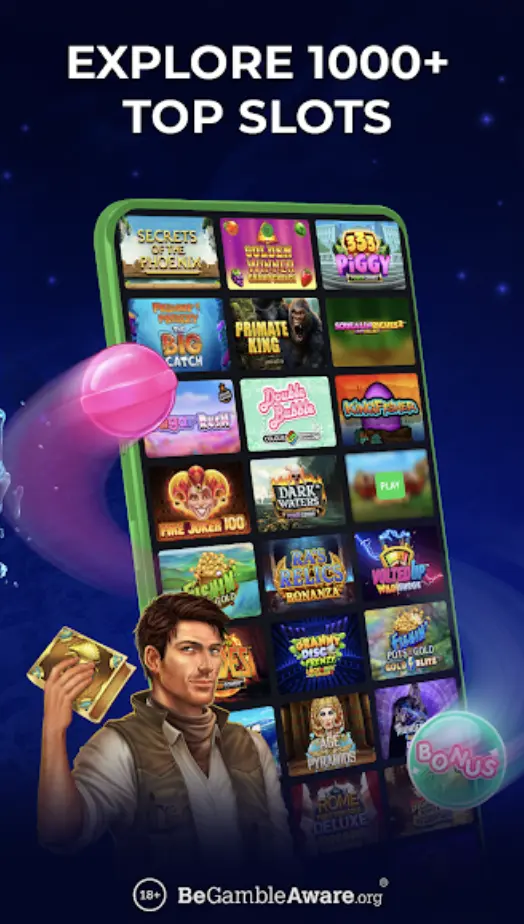
The MrLuck app listings describe slot games, and the Apple listing also describes blackjack, roulette, baccarat and live dealer play. The game selection should be assessed within the application, where you can review the rules for the particular title you intend to open.
Before placing a wager, locate the stake display, game rules and paytable. On a smaller screen, take time to distinguish the spin or betting control from settings and information controls. A familiar game title does not replace reading the rules for the version in front of you.
Live video and animated games place different demands on a connection. Use a stable connection and give the game time to load before interacting with it. If a session is interrupted, review the recorded activity before repeating an action.
Switching from an app to a browser changes how you access the service. It does not create a new welcome-offer entitlement or remove conditions attached to an existing promotion.
Mobile Payments and Withdrawal Checks
Keep payment decisions separate from installation. You can review the application and account information before deciding whether to fund your account.
MrLuck’s payment methods page lists Visa and Mastercard debit cards for deposits and withdrawals. Use the payment options presented to your account for the transaction you want to make, since depositing and receiving a withdrawal are different processes.
Review the amount, payment destination and any displayed conditions before confirming. A completed deposit does not establish that a later withdrawal has been approved or sent.
If a transaction is interrupted, check its recorded status before submitting another request. Repeated attempts can make it harder to distinguish the original transaction from a new one.
App Updates and Mobile Troubleshooting
Use the same store that supplied the application for updates. Review the update information, allow the installation to finish and reopen the app afterwards. For browser access, keep the browser current and return through the saved MrLuck address.
The following checks help identify common device and connection problems without changing your account details.
| Symptom | First checks | Useful next step |
|---|---|---|
| Download does not complete | Connection, free storage and store authentication | Retry through the original store listing |
| App closes during use | App update, operating system update and device restart | Record when it closes and what action preceded it |
| Login attempt fails | Typing errors, saved password and account email | Use password recovery or contact account support |
| Game loads slowly | Connection strength and other active downloads | Let loading finish before interacting |
| Payment confirmation is unclear | Account transaction record and payment-provider activity | Ask support to identify the status before retrying |
| Document image is rejected | Readability, completeness and requested format | Resubmit only the document or correction requested |
Before clearing application data or reinstalling, make sure you know your login details and can access your account email. Reinstallation should not be treated as a way to resolve an account verification request.
Privacy, Credentials and Shared Devices
Read the privacy information alongside the store listing, especially before accepting an unfamiliar permission request. Apple’s listing includes developer-declared handling of identifiers and diagnostics; this disclosure should be read together with the MrLuck privacy policy.
Keep your phone locked and avoid saving casino credentials on a shared device. If another person can unlock your phone or access your email, they may also be able to reach saved passwords or recovery messages.
Use verified website and store links when signing in. An unsolicited message promising an app update or asking you to confirm a password should not replace the normal store update process.
Getting Help with the MrLuck App
For account or application assistance, use the MrLuck contact page, which provides live chat and email contact options.
A useful report explains the device model, operating system, app version shown on your device and the action that led to the problem. Include the exact error message and approximate time where relevant. For a payment query, add the transaction reference rather than sending full card details.
Screenshots can clarify a display problem, but remove passwords, verification codes and unrelated personal information. A clear description helps support distinguish an installation issue, a connection problem and a request that needs account review.
Download the MrLuck Casino App Now
Android APK + iOS PWA - instant setup for UK players. Claim your mobile bonus on first login.
18+. T&Cs apply. UK players only. Please gamble responsibly.

Current Bonus Deals October 2026